Home
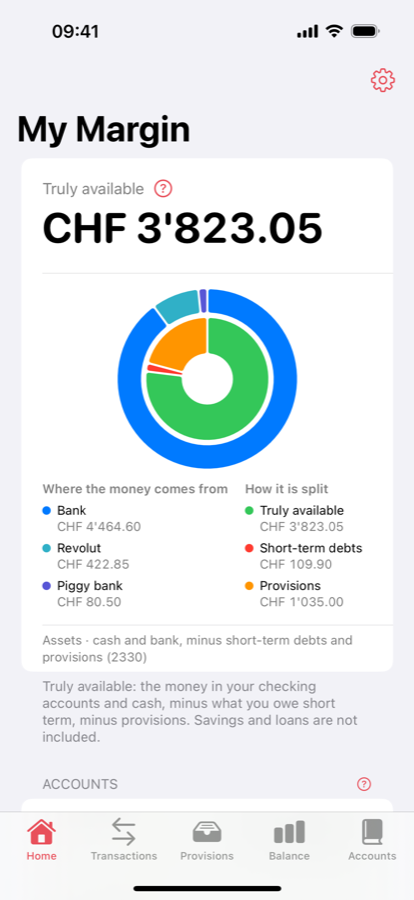
The truly available amount in large type, then the ring: outside, each account's share; inside, what is free, provisioned or owed. When an account has not been reconciled for 30 days, a banner reminds you.

What you can really spend.
Because a bank balance doesn't tell you what you can spend. Part of that money is already spoken for: the taxes due at year end, the health insurance premium, the bill that hasn't gone through yet. Many people know it, few can see it, and that is where nasty surprises come from.
Ma Marge starts from a conviction: managing money is not about spreadsheets or heroic discipline, it is about seeing clearly. When you can see what is free and what is committed, good decisions become easy, and money stops being a source of worry.
Not a bank link: Ma Marge connects to no bank and reads no payments. Not a tax calculator: you enter your own estimate. Not a service: no server, no account, no data collected. Everything stays on your device, with private iCloud as an option.
The truly available amount in large type, then the ring: outside, each account's share; inside, what is free, provisioned or owed. When an account has not been reconciled for 30 days, a banner reminds you.
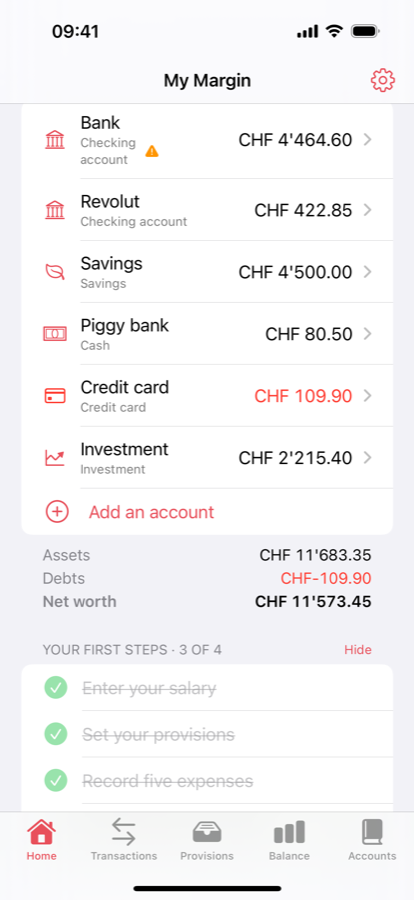
Bank, Revolut, savings, piggy bank, investment, credit card… Each account has its own reference balance and is reconciled separately; below, assets, debts and net worth. Tap an account for its statement.
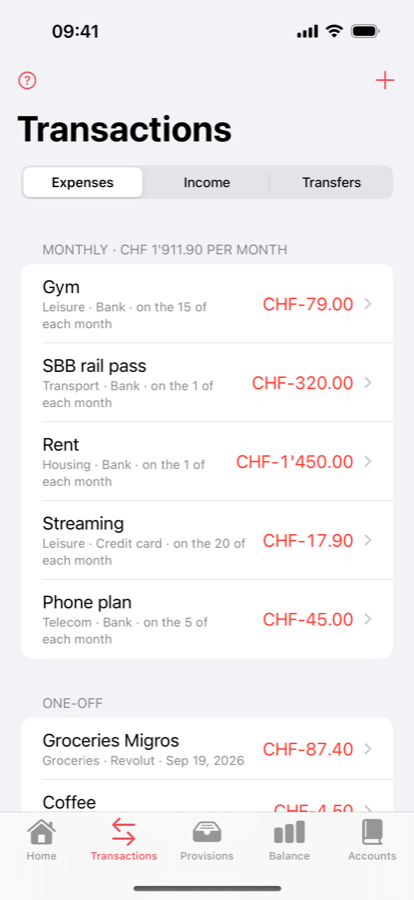
Expenses, income and transfers, monthly or one-off, each attached to an account. No need to record every cent: group the day's small expenses into one line, reconciliation catches the rest.
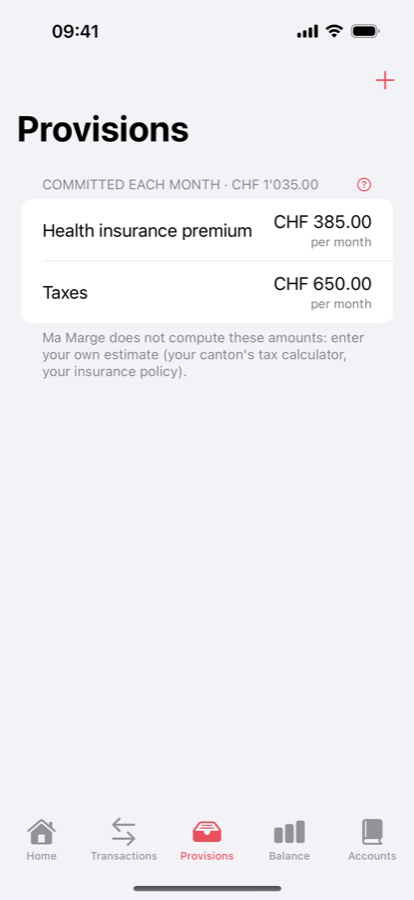
What you set aside each month for upcoming bills: taxes, health insurance premium, whatever you like. You set the amount, Ma Marge deducts it from the available money from the first day of the month.
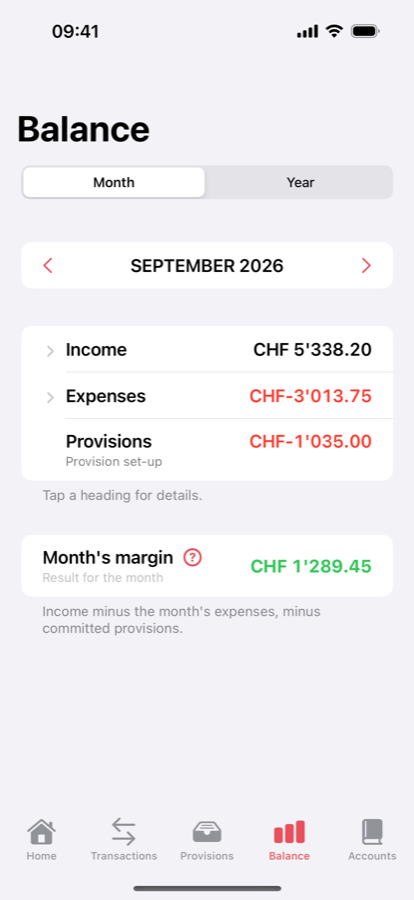
Income, expenses, provisions and the month's margin: what is left. Collapse or expand each heading; move from month to month; in the Year view, the linear projection.
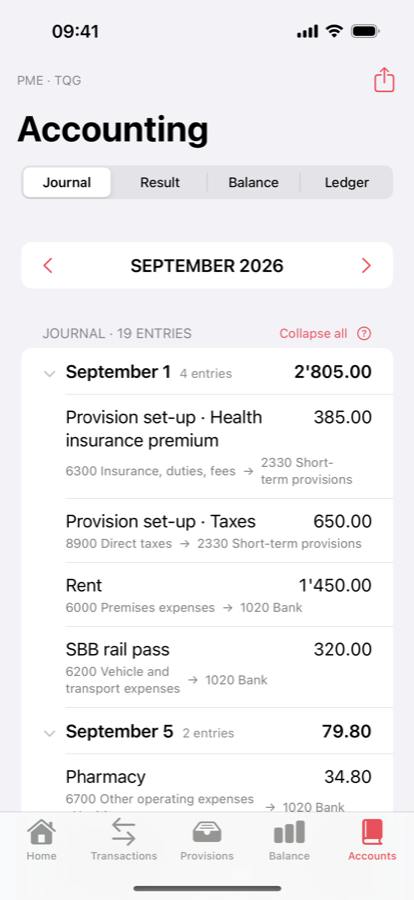
For anyone taking an accounting course: double-entry journal, income statement, balance sheet and ledger, following the Swiss SME chart of accounts or the French general chart. Printable PDF export.
No: the balance in Ma Marge is computed from your entries, and one forgotten expense is enough to make it drift. Reconcile the account (enter the bank's actual balance again) and the counters restart from there. That is by design, it is even the good habit: once a month, on payday.
No. Group the day's small expenses into a single line entered in the evening, round, use a flat monthly amount for groceries if you always buy the same things. The goal is an accurate balance with as little effort as possible, not bookkeeping to the cent.
It doesn't, and it doesn't compute them: it would be wrong in half the cantons. You enter your own monthly estimate, from your canton's tax calculator or your insurance policy, and Ma Marge treats it as a reserve.
On your device, and nowhere else. There is no server, no account, no analytics. If you turn on iCloud in Settings, an encrypted copy goes to your private iCloud space, for your other devices; the app's author has no access to it.
Yes: CHF by default, EUR, USD or GBP in Settings. The currency only changes the display, no amount is converted. Negative amounts your way: minus sign or parentheses, red or black.
It is a small bank: a starting amount, deposits, withdrawals. It counts towards the truly available amount, because it is money you can spend tomorrow. Savings and investments, on the other hand, stay out of the available amount.
The app is designed for iPhone and iPad. A Mac version is planned; iCloud sync is already in place to prepare for it.
The Swiss SME chart of accounts, with the one-line journal (debit, credit, amount) and amounts like 1'450.00, as in the textbooks. The French general chart is also available. Journal, income statement, balance sheet and ledger are derived from your entries, nothing extra to enter.